With sleep monitoring, you can better understand why you wake up tired.
Ad
Sometimes, your body gives signals during the night that you don’t even notice.
Some apps help you track your habits, schedules, and quality of rest.
Ad
Keep reading and discover how to turn your phone into a little ally for sleeping better.
How Sleep Monitoring Apps Work
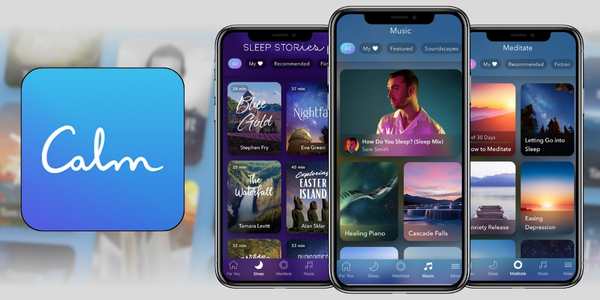
Sleep monitoring apps use different sensors on your phone or connected devices to track your night.
Depending on the app, they can observe movements, sounds, sleep times, and periods of wakefulness.
Then, this information becomes charts, reports, or scores that help you see your patterns.
Some apps also offer extra features, such as:
- Recording sounds during the night.
- Relaxing sounds and white noise.
- Guided meditations.
- Reports about your habits.
This way, sleep monitoring can work like an automatic nighttime diary.
And let’s be honest: it’s better to let your phone take the notes while you sleep, right?
BetterSleep App
BetterSleep combines sleep monitoring with tools to help you relax before going to bed.
Features to Explore
Among the available options, you can find:
- Sleep cycle tracking.
- Identification of light, deep, and REM sleep periods.
- Personalized analyses.
- More than 500 sounds and melodies.
- Bedtime stories.
- Guided meditations.
- Breathing exercises.
- Recording of snoring and other nighttime sounds.
How to Use It
- Download BetterSleep and create your account.
- Set up your usual sleep schedule.
- Activate tracking during the night.
- Keep your phone nearby while you sleep.
- In the morning, check the recorded data.
- Observe your patterns over the days.
And What About Premium?
If you want to unlock more features, you can find Premium options for US$ 11.99, US$ 39.99, or US$ 59.99.
Sleep Cycle App
If you want sleep monitoring more focused on understanding your nights, Sleep Cycle is another interesting option.
What the App Offers
- Sleep analysis.
- Tracking of sleep stages.
- Sleep score.
- Smart alarm.
- Snoring monitoring.
- Recording of nighttime sounds.
- Sounds to help you relax.
- Sleep programs and goals.
- Statistics to track your progress.
The highlight is the Smart Alarm. You set a window for waking up, and the app looks for a lighter sleep moment within that period.
How to Get Started
- Install Sleep Cycle on your phone.
- Open the sleep section.
- Set the time when you need to wake up.
- Choose a wake-up window.
- Activate nighttime tracking.
- Keep your phone near the bed.
- Check the report in the morning.
How Much Does Premium Cost?
Prices may vary depending on the available offer.
There are annual options between US$ 11.99 and US$ 57.99, in addition to other in app purchases.
Remly App
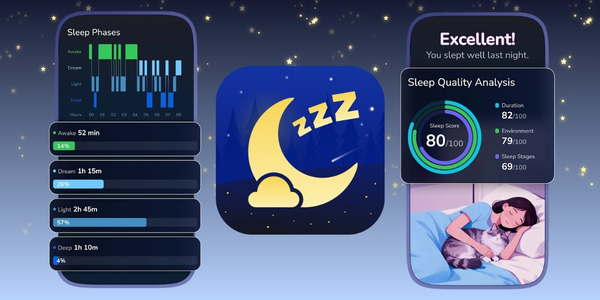
The idea here is to combine sleep monitoring with relaxing sounds, meditations, and recording of nighttime noises.
Available Features
- Sleep tracking.
- Sound recorder.
- Nature sounds.
- White noise.
- Relaxing music.
- Guided meditations.
- Mixing different sounds.
- Features to relax before bed.
How to Use It
- Install the app.
- Set up your sleep routine.
- Choose a sound to relax.
- Place your phone near the bed.
- Activate nighttime tracking.
- In the morning, check the records.
- Observe your patterns over time.
It’s an interesting option for those who want to combine relaxation and sleep monitoring in the same app.
And How Much Does it Cost?
The app offers weekly plans starting at US$ 4.99. If you prefer, you can also choose the lifetime version for US$ 39.99.
Beyond Monitoring: Other Features Available in the Apps
Sleep monitoring is just one part of what these apps can offer.
Depending on the option you choose, you can also find tools to make bedtime more enjoyable.
| Feature | How It Can Help |
|---|---|
| Smart alarm | Helps choose an appropriate time to wake up |
| Relaxing sounds | Creates a more peaceful environment |
| Meditation | Can help you slow down before bed |
| Sound recording | Allows you to identify noises during the night |
| Reports | Makes it easier to observe your habits |
| Sleep goals | Helps create a more consistent routine |
This variety allows you to choose an app according to what you’re really looking for.
If you only want to track your schedules, you may not need dozens of features.
But if your idea is to create a nighttime routine, extra tools can make quite a difference.
Which Sleep Monitoring App is Right for You?
There isn’t a single app that fits everyone perfectly.
The best approach is to think about what you expect from sleep monitoring before choosing.
BetterSleep may be more appealing to those who want to combine tracking with sounds, stories, and meditations.
Sleep Cycle has a strong offering for those who enjoy reports, statistics, and a smart alarm.
Sleep Tracker & Sound may attract those who prefer relaxing sounds and nighttime recording.
Before deciding, consider:
- Do you just want to track your sleep?
- Do you need a smart alarm?
- Do you like analyzing charts?
- Do you want sounds to relax?
- Do you plan to use Premium features?
- Will you track your data for several weeks?
Answering these questions already helps quite a bit.
How to Make the Most of the Apps’ Features
Choosing an app is only the first step.
To get more out of sleep monitoring, try using the same app for several nights.
This allows you to compare your schedules and notice patterns that a single night would not reveal.
You can also create a small routine:
- Set an approximate time to go to bed.
- Activate monitoring before going to bed.
- Avoid using your phone after starting the tracking.
- Check the data in the morning.
- Observe changes throughout the week.
- Adjust your habits when it makes sense.
Remember, you don’t need to turn your bed into a NASA laboratory.
Conclusion
The most important thing is to observe your own patterns and use the data as a reference.
If you notice persistent changes or have significant difficulties sleeping, seek guidance from a healthcare professional.
Now, download the app that best suits you and prepare a quiet little corner for sleeping.
Then, just activate monitoring, relax, and let the app track your nights.