Have you ever thought about making your WhatsApp conversations more fun with personalized stickers?
Ad
Today, we’re going to teach you how to create your own Free WhatsApp Stickers in a simple, quick, and best of all: free way!
These small images are great for expressing emotions in a creative and unique manner, and you can use any image you wish to do so.
Ad
Whether it’s a funny photo, a popular meme, or art made by yourself, Free WhatsApp Stickers allow your messages to stand out and reflect your personality.
Ready? Follow this easy step-by-step guide
We’ll show you how to create your WhatsApp stickers for free quickly and enjoyably. With just a few steps, you’ll have them ready to use!
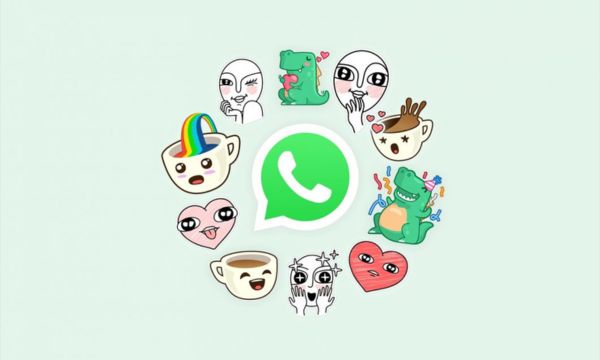
WhatsApp-stickers – Fonte (Canva)
What You Will Need:
- A smartphone with internet access.
- WhatsApp installed.
- An app like Sticker.ly (free and easy to use).
Step by Step to Create Your Stickers
1 – Download an App
The first step to creating your Free WhatsApp Stickers is to download a specific app for this purpose. Sticker.ly is a great option, as it offers a user-friendly interface and various editing tools.
- Access your phone’s app store (Google Play Store or App Store).
- In the search bar, type, for example, “Sticker.ly” and select the app.
- Tap on “Install” for Android or “Get” for iPhone, and wait for the download.
2 – Create a New Sticker Pack
With the app installed, it’s time to start creating your Free WhatsApp Stickers.
- Open the chosen app.
- Choose the option “Create new sticker pack”.
- Name your pack, like “Personalized Stickers”.
- Insert your name or nickname as “Author” to identify that you created the pack.
3 – Add Your Images
The fun part starts now: choosing the images you will transform into stickers.
- Tap on “Add sticker”.
- Choose a photo from the gallery or take a new one.
- Use the editing tools to crop and adjust the image.
4 – Personalize Your Stickers
One of the best parts of creating your own stickers is being able to personalize them the way you want.
- Add fun texts.
- Use Sticker.ly’s filters and effects to make your sticker cooler.
- Try the automatic background removal feature.
5 – Save and Add to WhatsApp
Now that you’ve personalized your stickers, it’s time to save them and add them to WhatsApp to start using them.
- Create at least 3 stickers to form a pack.
- Tap on “Publish pack” and then on “Add to WhatsApp”.
Creative Challenge:
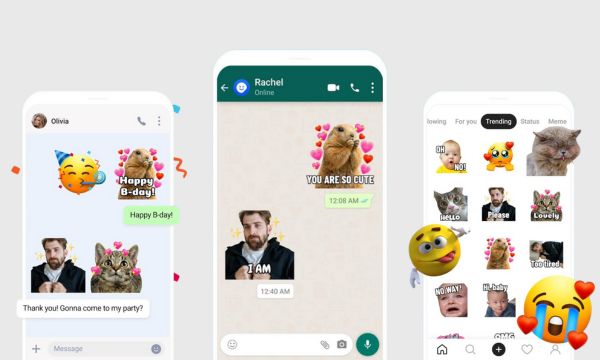
Creative-Challenge-(Fonte-Canva)
How about creating a sticker pack with typical expressions from your region? Or maybe transform your favorite emojis into personalized versions?
You could even create a specific theme, like stickers, to celebrate special occasions, such as birthdays or holidays.
Extra Tips:
- Regularly update your sticker pack: Add new images as ideas or special moments arise.
- Share your packs with friends: Spread the fun by sending your Free WhatsApp Stickers so others can use them too.
Now it’s your turn to explore and create! You have a world of possibilities at your fingertips. Show your creativity, surprise your friends, and have fun personalizing your WhatsApp conversations!
Remember: creativity has no limits when it comes to customizing your messages. So, start creating your Free WhatsApp Stickers now and share unique moments with those you care about!